HOW TO FIND OPEN ACCESS PUBLICATIONS IN SCOPUS?

Thanks to the new criteria and tools for searching open access documents that have appeared in the Scopus database since December 2020, more than 5.5 million articles that receive the open access label can be used.
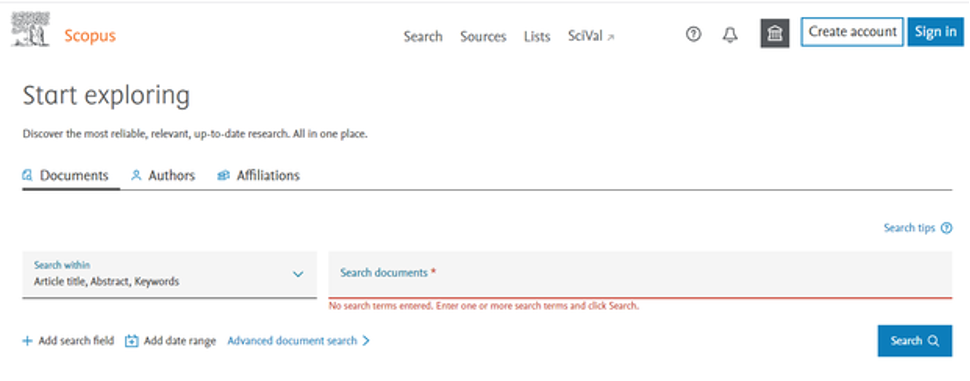
These tools allow you to filter the search results by selecting the rubric "All Open Access" (All Open Access) or to use certain types of open access (gold, hybrid gold, bronze and green). In order to use these tools, you need to go to the website of the Scopus database and set the search parameters in the column "Search documents" (for example, you can enter a keyword).
After that, a list of logs sorted by the relevant parameter will appear. The left panel will contain tools that will allow you to sort them by type of open access.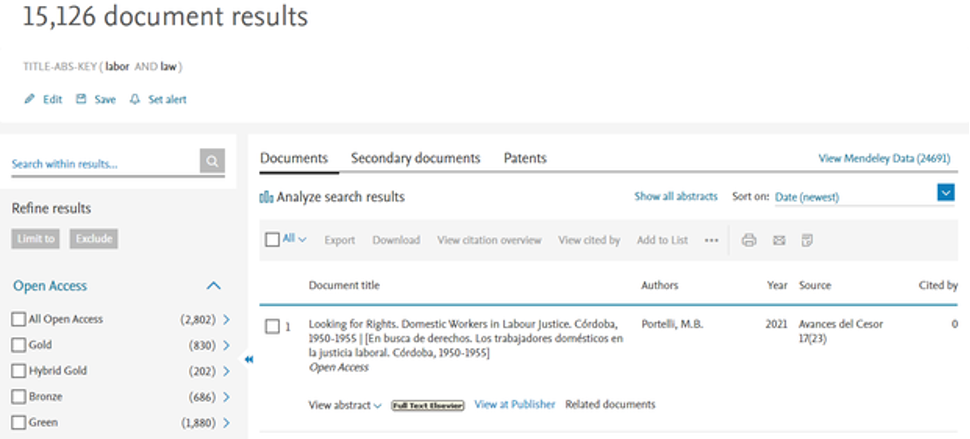
The Scopus database allows you to search for documents using one of four types of open access : gold, hybrid gold, bronze and green.
Gold access - the published version of a document with a Creative Commons license is available on the publisher's platform. Documents are contained in journals that publish only in open access.
Hybrid Gold Access – the published version of a Creative Commons-licensed document is available on the publisher's platform. Papers are contained in journals that give authors the right to choose whether or not the article will be publicly available.
Bronze access is the accepted-for-print version of a document or manuscript to which the publisher has decided to provide temporary or permanent free access. Bronze status is given to a document if there is another license instead of Creative Commons (publisher-specific, for example, Elsevier on Open Archive) or no license at all.
Green access – a published version of a document or manuscript, accepted for publication and available in the repository. Documents may also be in gold or other free-to-read access on the publisher's platform.
Another resource for finding open access documents in Scopus is Unpaywall . This database is maintained by the non-profit organization Impactstory. Unpaywall collects open access scholarly works from over 50,000 publishers and document repositories.
This service can be added to Google Chrome for free. It allows you to legally obtain the full text of a scientific article. Unpaywall automatically searches 20 million free full-text PDF files for a copy when browsing. If found, click the green tab to read the article.
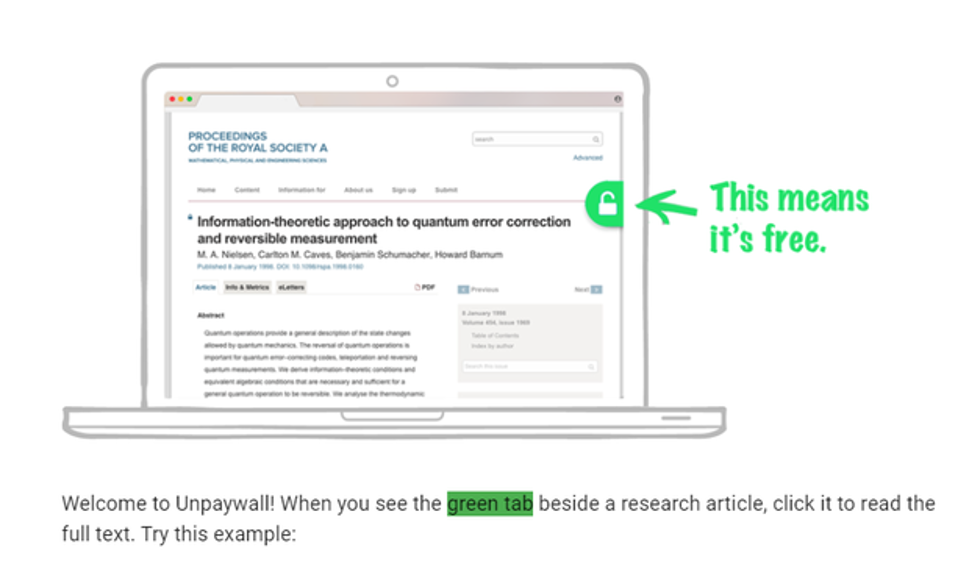
These free, author-published works are often referred to as "green open access," a long-standing legitimate part of the scholarly communications ecosystem. Most scientific journals allow authors to "self-archive" their articles on university and government web servers. Unpaywall helps users find these documents. Articles posted without the permission of the publisher are not included in the search.